Drop it on Exannio. It lands in the right place.
A menu bar app for your Mac. Drag files to a project, client or deliverable and they sync up, with a Finder folder that stays in step.
In private beta See the Mac app
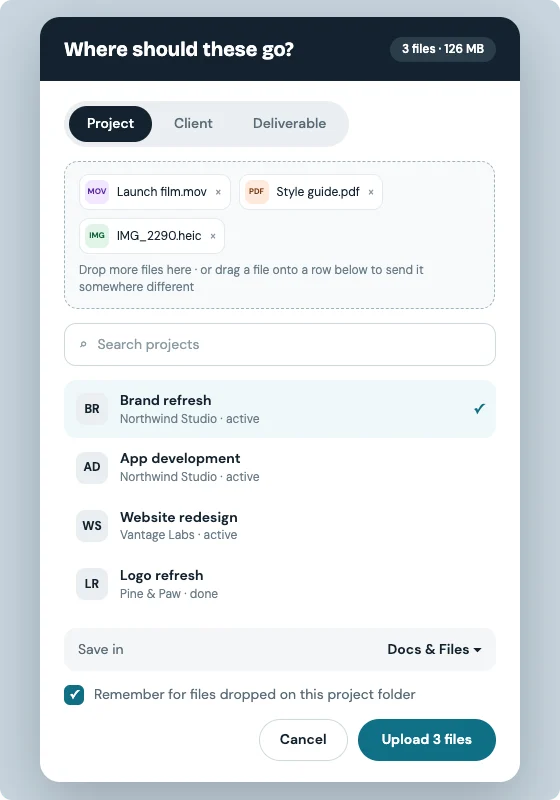
NO MORE UPLOAD BUTTONS
From your desktop to the project, in one drag.
Drag, drop, done
Drop on the menu bar icon, pick a project, and it uploads in the background.
Deliverables, versioned
Send a file as a new version of a deliverable and notify the client in the same step.
A Finder folder that syncs
Every project has a folder on your Mac; files you add there show up in Exannio.
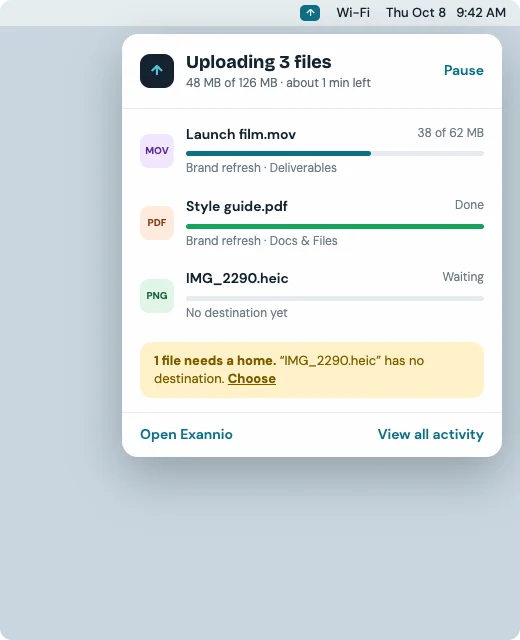
IN YOUR MENU BAR
Always there, never in the way.
See uploads in progress and what just synced, right from the menu bar.
- Upload progress and recent files
- Pause and resume
- Notifications when uploads finish
- Open in browser or Finder
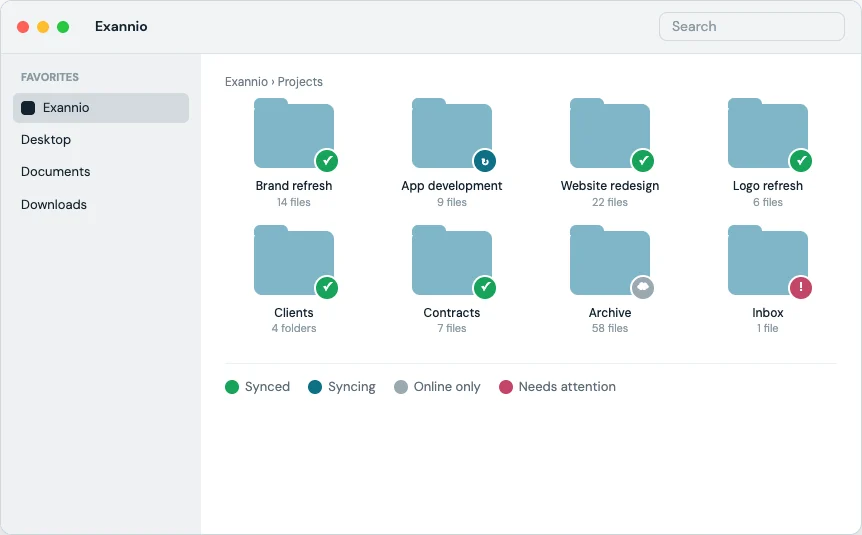
IN FINDER
Your projects, as folders.
Docs & Files for each project live under ~/Exannio, so you can work the way you already do.
- Folders per client and project
- Create folders from the app or Finder
- Choose what syncs
- Private to your workspace
EVERYTHING INCLUDED
Everything to move files without thinking about it.
UPLOAD
- Drag and drop
- Project, client or deliverable
- New folders inline
- Remember destination
SYNC
- Finder folder
- Background sync
- Pause and resume
- Conflict-safe
NOTIFY
- Upload notifications
- Client notified for deliverables
- Recent files
- Open in browser
EXANNIO · PRIVATE BETA
Less uploading. More doing.
Exannio is currently in private beta.
In private beta